Upgrade or Replace? A Practical Framework for Making the Right Call on Your Computer
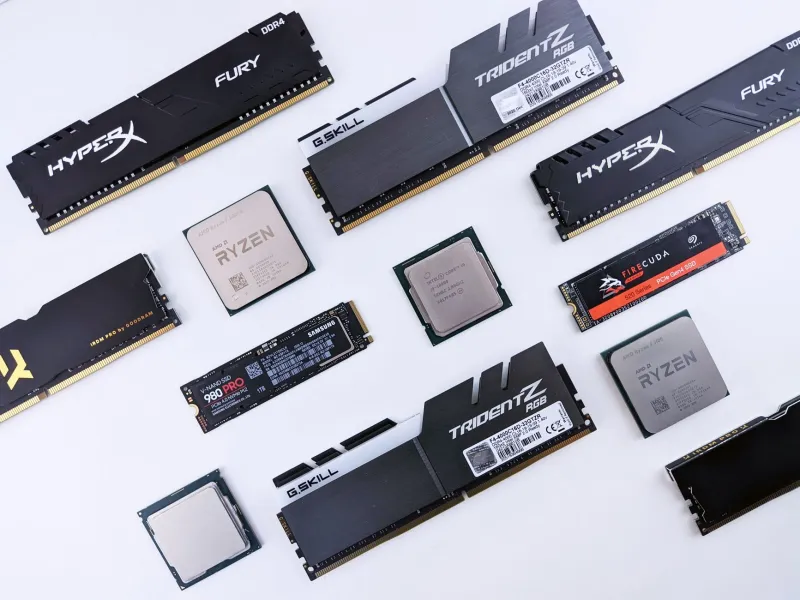
At some point, virtually every computer user arrives at a familiar crossroads. The machine that once felt fast and capable now struggles with everyday tasks. Applications take longer to load. The fan runs constantly. Multitasking has become an exercise in patience. The question that follows is one we hear regularly at MEC Computer: should I upgrade what I have, or is it time to buy something new?
The honest answer is that neither option is universally correct. The right choice depends on a confluence of factors — the age and condition of your current hardware, the nature of your performance needs, your budget, and the realistic ceiling of what an upgrade can achieve. This guide walks through each of those considerations systematically, so you can arrive at a decision grounded in data rather than instinct.
Start with an Honest Assessment of Your Machine's Age
Age is not a definitive disqualifier, but it is the logical starting point for any upgrade-versus-replace analysis. As a general framework:
- Under three years old: Upgrades are almost always worth exploring. Modern hardware at this age is typically still compatible with current software and operating system requirements, and targeted upgrades can deliver meaningful improvements.
- Three to five years old: This is the gray zone. Upgrading may extend useful life by two to three years, but the cost-benefit calculation becomes more nuanced. Component compatibility, the original quality of the build, and the scope of the upgrade all matter significantly.
- More than five years old: Replacement becomes increasingly compelling. Older platforms may not support current RAM speeds, NVMe storage, or modern operating systems. Even a successful upgrade may leave you with a machine that cannot run future software without additional investment.
It is also worth considering the trajectory of your software environment. If you rely on applications that are rapidly evolving — video production tools, data analysis platforms, engineering software — an older machine may become incompatible with future versions regardless of hardware upgrades.
Identify the Actual Bottleneck Before Spending Anything
One of the most common and costly mistakes users make is investing in the wrong upgrade. Adding RAM to a machine whose primary bottleneck is a slow mechanical hard drive, for example, will produce disappointing results. Effective upgrading requires an accurate diagnosis of where the performance limitation actually lies.
The three most impactful upgrade categories, in order of typical return on investment, are:
Storage: The Single Most Transformative Upgrade
Replacing a traditional mechanical hard disk drive (HDD) with a solid-state drive (SSD) is, in most cases, the highest-impact upgrade available for an aging computer. The performance difference is not incremental — it is transformational. Boot times, application launch speeds, and file transfer rates all improve dramatically.
For machines still running HDDs, this upgrade alone can make a five-year-old computer feel substantially more responsive. SSDs have also dropped considerably in price, making a 500GB or 1TB SATA SSD an accessible investment for most budgets.
Memory: Addressing Multitasking Limitations
If your machine has 4GB or 8GB of RAM and you regularly run multiple applications simultaneously — a browser with numerous tabs, a productivity suite, and a communication tool, for instance — a memory upgrade to 16GB can provide meaningful relief. RAM upgrades are relatively inexpensive and straightforward on most desktop systems, though laptop upgrades depend heavily on whether the memory is soldered to the motherboard.
Note that RAM upgrades beyond 16GB deliver diminishing returns for general productivity use. Unless your workflow involves video editing, 3D rendering, or large database operations, additional memory beyond that threshold is unlikely to produce noticeable improvements.
The Processor: A More Complex Calculation
CPU upgrades are the most technically complex and often the least cost-effective option. On laptops, processor replacement is rarely feasible. On desktops, compatibility constraints — socket type, chipset support, BIOS limitations — frequently restrict the available upgrade path. In many cases, the processor upgrade that would actually move the performance needle requires a new motherboard as well, at which point the cost approaches or exceeds that of a new system.
Calculate the Real Total Cost of Each Path
A cost comparison between upgrading and replacing must account for the complete picture, not just the sticker price of components or a new machine.
When calculating upgrade costs, include:
- The cost of components (SSD, RAM, etc.)
- Professional installation labor if applicable
- Any additional upgrades required to make the primary upgrade effective (e.g., a new power supply to support a better GPU)
- The expected additional useful life the upgrade will provide
When calculating replacement costs, include:
- The purchase price of the new system
- Data migration and software reinstallation time and labor
- Any software licenses that may need to be repurchased
- Peripheral compatibility (monitors, printers, and other connected devices)
- The residual or trade-in value of your current machine
A useful mental benchmark: if the total cost of upgrading exceeds 50 to 60 percent of the price of an equivalent new machine, replacement typically represents the stronger long-term value. You gain a full manufacturer warranty, current-generation components, and a hardware platform that will remain viable for years to come.
Scenarios Where Upgrading Clearly Wins
- A three-year-old desktop with a mechanical hard drive and 8GB of RAM used primarily for office productivity. An SSD and RAM upgrade costing $150–$250 can extend useful life by two to three years.
- A relatively recent machine that experienced a specific component failure (a failed GPU, for example) where replacement of that single component restores full function.
- A high-quality, well-specced machine that simply needs more storage capacity.
Scenarios Where Replacement Is the Smarter Choice
- A seven-year-old laptop with a failing battery, worn keyboard, and aging processor that cannot support Windows 11 or current macOS releases.
- A machine where multiple components are showing signs of wear simultaneously — at that point, you are essentially rebuilding the system piece by piece.
- A business workstation whose performance requirements have grown significantly beyond the original hardware specification.
Getting an Expert Opinion Before You Decide
The variables involved in this decision are specific to your machine, your usage patterns, and your budget. General guidelines provide a useful framework, but they cannot substitute for a hands-on evaluation of your actual hardware.
At MEC Computer, we offer diagnostic assessments designed to give you a clear, unbiased picture of your system's condition and realistic upgrade potential. We do not have a financial incentive to steer you toward replacement when an upgrade will serve you well — or to recommend a costly repair on a machine that has genuinely reached the end of its practical life.
Our commitment is to provide the information you need to make the decision that is right for your situation. Whether that means a targeted hardware upgrade, a full system replacement, or simply a maintenance service that restores your current machine to peak condition, we will help you understand your options clearly before any money changes hands.
When you are ready to evaluate your options, our team is here to help you make a confident, informed choice.