Your Router Is Probably in the Wrong Place — and It's Costing You Speed
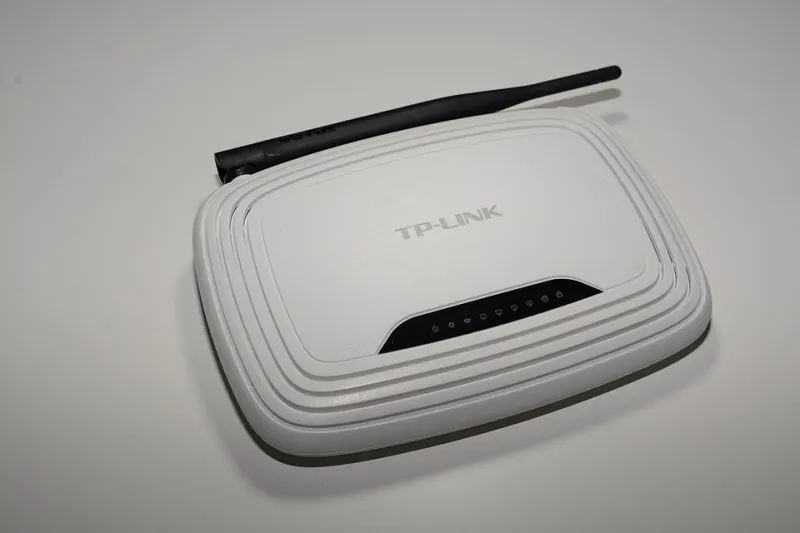
Photo: Hayden Schiff, CC BY 4.0, via Wikimedia Commons
Americans pay an average of over $70 per month for home broadband service, yet a significant portion of households never receive anything close to the speeds they are paying for. The instinctive response is to blame the internet provider, and sometimes that blame is warranted. More often, however, the problem exists entirely within the walls of the building — and it is entirely fixable.
Wireless network performance is shaped by a surprisingly large number of environmental factors, most of which have nothing to do with your subscription tier or the capabilities of your modem. Understanding these factors is the first step toward reclaiming the speed you are already paying for.
The Physics of Wireless Signal Propagation
Wi-Fi signals travel as radio waves, and like all radio waves, they are subject to reflection, absorption, and interference. Different materials attenuate wireless signals to varying degrees. Drywall has relatively little effect. Concrete, brick, and metal are far more disruptive — a single reinforced concrete wall can reduce signal strength by 50 percent or more. Water is also a significant absorber, which is why large fish tanks and even the human body can create localized dead zones.
Signal strength also diminishes with distance according to the inverse square law: double the distance between your device and the router, and the signal strength drops to roughly one-quarter of its previous level. This means placement decisions are not minor adjustments — they fundamentally determine the effective coverage area of your network.
Where Most Routers End Up (and Why That's a Problem)
In the majority of American homes, the router ends up wherever the cable company's technician placed the modem — typically near the front door, in a corner of the living room, or tucked inside a cabinet to keep it out of sight. Each of these locations introduces unnecessary obstacles between the router and the devices it serves.
A router positioned in a corner broadcasts signal in all directions, but a large portion of that signal travels outward into the yard, a neighboring apartment, or an exterior wall. Placing the router in a cabinet or enclosed entertainment center effectively builds a signal-blocking enclosure around it. And locating it near the entry point of the building means devices at the far end of the home receive the weakest possible signal.
The optimal placement for a router is as close to the geographic center of the space it needs to serve as possible, elevated off the floor, and in open air rather than enclosed in furniture. Antennas, if present, should be oriented vertically to maximize horizontal coverage across a single floor, or at an angle if coverage across multiple floors is needed.
Interference Sources You Might Not Suspect
Channel congestion is one of the most underappreciated causes of poor Wi-Fi performance, particularly in densely populated areas such as apartment buildings or office complexes. Every nearby wireless network occupies a channel on the radio spectrum, and when multiple networks share the same channel, they interfere with one another — a phenomenon known as co-channel interference.
The 2.4 GHz band, still used by a large number of devices, has only three non-overlapping channels: 1, 6, and 11. In a building with a dozen networks all set to automatic channel selection, several will inevitably land on the same channel. Manually assigning your router to the least congested channel — identifiable using free tools such as Wi-Fi Analyzer on Android or the Wireless Diagnostics utility built into macOS — can produce immediate improvements.
Beyond other networks, several common household appliances generate radio frequency interference in the 2.4 GHz range:
- Microwave ovens emit significant interference while in operation, which can temporarily disrupt nearby devices.
- Cordless phones using the 2.4 GHz band compete directly with Wi-Fi signals.
- Bluetooth devices, while generally low-power, can contribute to congestion in environments with many active devices.
- Baby monitors and wireless cameras may operate on overlapping frequencies.
Switching devices to the 5 GHz band, where supported, largely sidesteps these interference sources. The tradeoff is reduced range, but in smaller spaces the performance improvement is typically well worth it.
Mapping Your Coverage: A Practical Approach
Before investing in hardware, it is worth understanding exactly where your signal weakens. A heat map approach — systematically testing signal strength in different locations throughout your home or office — provides the data needed to make informed decisions.
Free applications such as NetSpot (available for Windows and macOS) allow users to overlay signal strength measurements onto a floor plan, producing a visual map of coverage quality. Conducting this survey takes less than 30 minutes and will reveal precisely where dead zones exist and how severe the signal degradation is between rooms.
Armed with this information, the solution often becomes clear: repositioning the router, adding a single wired access point in a central location, or adjusting antenna orientation may resolve the issue without any additional hardware expense.
When the Problem Is Your Hardware
If repositioning and channel optimization do not resolve persistent dead zones, the issue may lie with the router itself. Consumer-grade routers have a finite effective range, and older models — particularly those more than five years old — may lack support for modern wireless standards such as Wi-Fi 6 (802.11ax), which offers significantly improved performance in congested environments.
Before replacing the router entirely, consider whether the problem is localized to specific areas. A single wired access point placed in a dead zone, connected via Ethernet to the primary router, will deliver far more reliable performance than a wireless range extender, which effectively halves available bandwidth each time a signal is retransmitted.
For business environments where consistent coverage across larger spaces is a requirement, a professionally designed wireless infrastructure — with access points positioned based on actual site survey data — is the appropriate solution. At MEC Computer, our network assessments begin with precisely this kind of diagnostic review, ensuring that recommendations are grounded in measured performance data rather than guesswork.
Simple Steps to Take Today
For most readers, meaningful improvement is achievable without spending a dollar:
- Relocate the router to a central, elevated, open position.
- Log into the router's admin panel and manually assign a less congested Wi-Fi channel.
- Move bandwidth-intensive devices to the 5 GHz band.
- Remove the router from enclosed furniture or cabinets.
- Run a speed test from multiple locations to identify where signal quality drops.
The internet speed you are paying for is available — the path to it is simply being blocked.